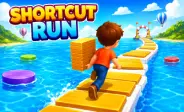
Shortcut Run is a fun racing game where smart choices can be more important than speed. Collect track pieces and use them to build bridges across gaps, helping you create shorter routes to the finish line. You race against AI runners while moving through colorful water and sky environments. 

As you progress, new levels bring different layouts and challenges. Races also reward you with coins that can be used to unlock characters and improve your setup. Collect wisely, choose your shortcuts carefully, and aim to finish ahead of your rivals. 

Build Your Own Route

The main idea behind the game is simple: collect pieces, save them, and use them at the right time. Track pieces act like building blocks for your shortcut. When you reach a gap, you can spend some of your pieces to cross it instead of taking the longer path. 

Using too many pieces early in a race can leave you without enough material for a later gap. Because of this, think about the whole route instead of focusing only on the next few steps. If you enjoy other games that test movement and quick reactions, Tunnel Ball is another option to try.

Make Every Piece Count

Track pieces are important because they help you create shortcuts during the race. Collect pieces while moving across the platforms and save them for gaps where you want to build a path. Using too many pieces early can leave you with fewer pieces for later sections. Try to collect enough pieces before reaching a gap and use them when a shortcut can help you move toward the finish line faster.

Coins And Progression

  • Earn Coins: Complete races to collect coins.
  • Unlock Characters: Use coins to get different character options.
  • Improve Upgrades: Spend coins on upgrades that can help during future races.
  • Save Your Coins: Keep some coins for useful upgrades instead of spending them all at once.
  • Improve Progress: Better upgrades can help you handle later and more difficult levels.

Smart Racing Strategies

Save Pieces for Important Gaps- Do not use your track pieces whenever you see a small shortcut. Some gaps provide a much bigger advantage than others. Saving resources for important sections can help you finish with a stronger supply.

Watch the Route Ahead- Try to notice upcoming gaps before reaching them. Knowing what is ahead lets you decide whether you should collect more pieces or prepare to build a bridge.

Do Not Copy Every Opponent Move- AI runners may take routes that are not ideal for your situation. Your available pieces and position can be different. Choose a route based on your own resources rather than simply following another runner.

Use Shortcuts With Purpose- A shortcut should either save useful time or help you get ahead of competitors. If a bridge does not offer much benefit, keeping those pieces for later may be a better decision.

Learn Before Going for Speed- When entering a new course type, first learn where the major gaps and obstacles appear. Once you understand the layout, you can focus on completing the route faster.

How To Play 

Getting Started

Swipe left or right to move your character across the platforms. Your runner moves forward automatically, so your main job is to guide the character and collect useful pieces. As you approach a gap, decide whether to continue along the normal route or use your collected pieces to create a bridge. Keep moving toward the finish line while watching your supply.

Crossing Gaps

When you choose to take a shortcut, your collected pieces are used to form a path across the gap. Make sure you have enough pieces before committing to a long crossing. If your supply runs out during an unsafe crossing, your character may fall and the race can end. This makes resource awareness just as important as movement.

Improving Your Runs

Your first attempt at a level does not need to be perfect. Use it to learn the platform layout, spot useful shortcuts, and understand where you need to collect more pieces. On the next attempt, change your route and avoid wasting pieces where a shortcut is not needed. 

Repeating this process can help you become faster and more consistent. If you enjoy obstacle-based games that also require good control, Scary Wheels is another game you can explore.

Controls

  • Swipe Left: Move left
  • Swipe Right: Move right
  • Mouse Drag: Guide the character
  • Touch and Drag: Move on mobile devices
  • Automatic Movement: The character continues running forward